HubSpot vs Pipedrive for small business in 2026
HubSpot wins for most small businesses because the free tier gives you a full CRM with marketing tools attached at no cost. Pipedrive wins for sales-only teams who want a simpler, cheaper, deal-focused tool and don't need marketing features at all.
If your business is deciding between these two, you're likely a small sales-led team trying to figure out whether you need a full CRM platform or just a clean way to track deals. Both are genuinely good tools — the difference is scope, not quality, and getting this right matters because switching later costs real time.
The short version: Pipedrive does one thing (deal pipeline tracking) extremely well and cheaply. HubSpot does that same thing, plus marketing, plus more advanced automation, for free at the entry tier. Read on for exactly what that means in practice, with real examples.
What Pipedrive is, in plain terms
Pipedrive is a CRM built almost entirely around one screen: a visual pipeline of deal cards you drag between stages as a sale progresses. It's deliberately simple — no marketing emails, no landing pages, no complex automation builder — which makes it fast to learn and fast to use daily if deal-tracking is genuinely all you need. Salespeople who've used Pipedrive for years often describe it as "the pipeline, and nothing else in the way."
What HubSpot is, in plain terms
HubSpot starts with the same pipeline concept but layers marketing tools on top — email campaigns, landing pages, live chat, and AI-drafted follow-ups — all under one free tier that isn't time-limited. You get more capability without immediately paying more, which is the main reason it wins by default for most small businesses that haven't yet ruled out needing marketing tools.
Where Pipedrive genuinely pulls ahead
If your team lives entirely in the pipeline view and never touches marketing, Pipedrive's focus is an advantage, not a limitation — fewer menus, fewer distractions, and a slightly gentler learning curve for a purely sales-focused team who just wants to open one screen and know exactly what to chase today.
A real scenario: a 4-person sales team choosing between them
A small B2B services team of four salespeople, no marketing function, purely outbound calling and email follow-up on inbound leads. Pipedrive's single-purpose pipeline view means every rep opens the same screen every morning and knows instantly what's overdue. HubSpot could do the same job, but the extra marketing menus (which this team will never use) add visual clutter they don't need — a case where Pipedrive's narrower focus genuinely wins.
The honest recommendation
Start with HubSpot's free tier regardless — it costs nothing to try, and most small businesses end up using at least one of the marketing features they didn't think they'd need (like email tracking or a simple landing page for a promotion). Only move to Pipedrive if, after a real trial, HubSpot genuinely feels cluttered for what your team does day to day.
A quick test to settle it
Spend fifteen minutes in each: build the same simple four-stage pipeline in both, and drag one real deal across all four stages. Notice how many extra menus or screens you had to pass through in HubSpot that Pipedrive skipped entirely — if that clutter genuinely slowed you down, Pipedrive's focus is worth the extra pound-per-seat. If you barely noticed it, stick with HubSpot's free tier and the marketing tools that come with it. For a broader view of CRM options beyond just these two, see our full small agency CRM guide.
Head to head
| HubSpot Winner | Pipedrive | |
|---|---|---|
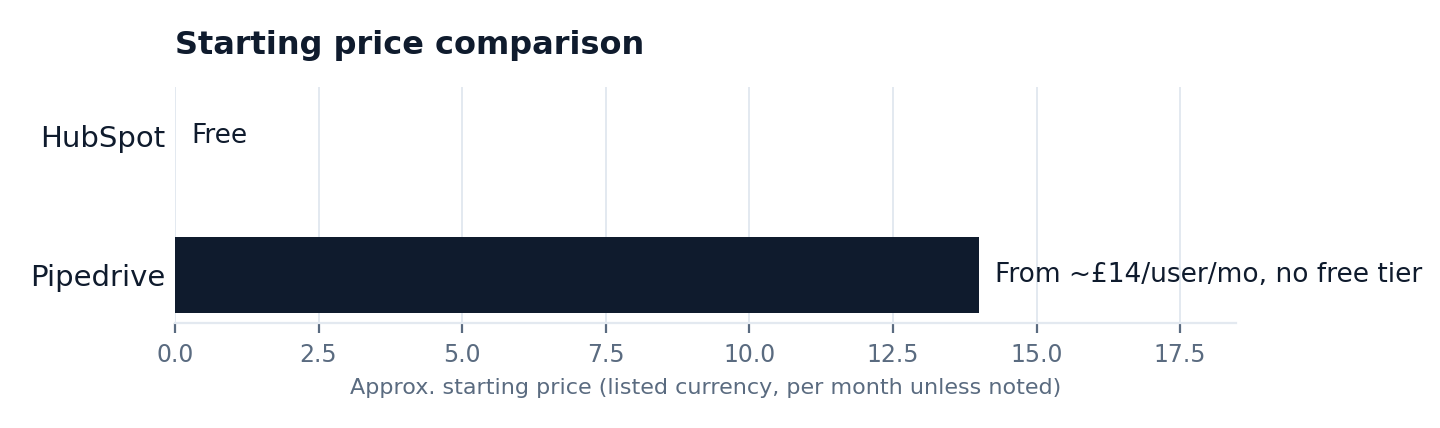
| Starting price | Free | From ~£14/user/mo, no free tier |
| Pipeline tracking | Strong | Best in class, very focused |
| Marketing tools | Included (email, landing pages, chat) | None |
| Learning curve | Slightly more to explore | Very gentle, single-focus |
| Best for | Most small businesses | Pure sales-only teams |
Frequently asked questions
Is Pipedrive cheaper than HubSpot?
Pipedrive has no permanent free tier, so for a very small team, HubSpot's free plan is actually cheaper to start with.
Which is simpler to learn, HubSpot or Pipedrive?
Pipedrive, because it does one thing (pipeline tracking) and nothing else. HubSpot has more to explore, though its core pipeline view is just as easy to pick up.
Do I need marketing features if I'm not doing marketing yet?
Not immediately, but many small businesses end up using HubSpot's basic email tracking and templates even if they never touch full campaigns — it's included at no extra cost, so there's little downside to having it available.
Can I switch from Pipedrive to HubSpot later without losing data?
Yes — both support CSV export/import of contacts and deals, though moving custom pipeline stages and automation takes manual rebuilding, typically an afternoon's work.
Does Pipedrive have any automation at all?
Yes, basic workflow automation on paid tiers — reminders and simple triggers — but nothing approaching HubSpot's marketing automation depth.
Is Pipedrive good for a team that also wants to email a newsletter?
Not really — Pipedrive has no dedicated email marketing tools, so you'd need a separate platform like our best email marketing picks alongside it.
The bottom line: HubSpot free covers more ground for most small businesses at zero cost — try it first, and only move to Pipedrive's simpler focus if that turns out to be what you actually need.
The rest of this CRM series
This article is part of a full CRM series for small agencies: best CRM for a small agency, best CRM for consultants, HubSpot vs GoHighLevel, HubSpot vs Pipedrive, HubSpot vs Zoho, ActiveCampaign vs HubSpot, HubSpot's free CRM reviewed, HubSpot Free vs Starter, and how to set one up in a week.