Notion vs Asana for small teams in 2026
Notion wins for small teams that combine documentation, planning and lightweight project tracking — which is most agencies under ten people. Asana wins for teams that need structured project management with dependencies, timelines and reporting baked in from day one, with no setup required.
If you're comparing these two, you've probably tried one already and wondered if the other would fit better — a common feeling, because Notion and Asana are built on genuinely opposite philosophies, not just different feature lists. Let's work through both properly, with real scenarios, before landing on a recommendation.
Two opposite starting points, explained simply
Asana starts structured out of the box: create a project, and tasks automatically roll up into it with dependencies, due dates and a timeline view ready to use immediately — no setup required. Notion starts as a blank canvas: pages become databases, databases become views, and you build your own structure from scratch (our Notion PM setup guide walks through exactly how). Neither approach is wrong — they suit different-shaped teams and different tolerances for initial setup work.
Pricing at small-team scale
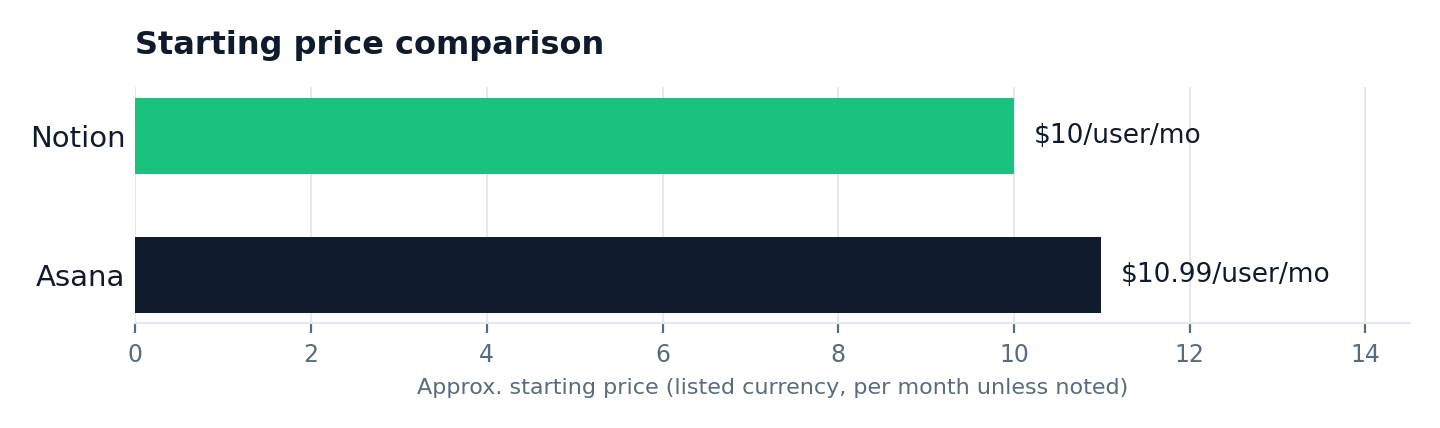
Asana Starter runs $10.99/user/month (minimum 2 seats), Notion Plus $10/user/month. At this size the prices are close enough that features, not cost, should decide it — though Notion tends to offer more functionality per pound when you count what it also replaces (a wiki, a docs tool, meeting notes) that Asana doesn't attempt to cover.
Where Asana pulls ahead
Task dependencies (blocking one task until another is complete), portfolio-level reporting across several projects at once, and built-in workload views showing who's overloaded are more mature in Asana straight out of the box — genuinely useful once you're coordinating several concurrent projects across a growing team, without needing to build any of that structure yourself.
Where Notion pulls ahead
Documentation and collaboration live in the same place as the work itself — no exporting a strategy doc from one tool while tracking the project in another. For small, document-heavy agencies producing written deliverables, that alone often decides it, since the alternative is context-switching between two tools dozens of times a day.
A real scenario for each
Asana fits: a 12-person paid media agency running 30 concurrent campaigns, needing to see at a glance which account managers are overloaded this week — Asana's workload view answers that in one screen with zero setup. Notion fits: a 5-person brand strategy consultancy where every project produces a lengthy strategy document, and the team needs that document, the timeline and the client notes all visible together — Notion's flexible pages handle this naturally where Asana would need a separate docs tool bolted on.
A five-minute test to decide for yourself
Ask your team one question: "when we do client work, do we mostly write things or tick things?" A brand consultancy writes things. A paid-media agency ticks things. If the honest answer is "write," try Notion first. If it's "tick," try Asana first — and give either one two real weeks with an actual client project before judging it, not a test project with fake data.
What happens if you pick wrong
Switching later isn't catastrophic — both export data reasonably well — but it costs real time rebuilding views, dependencies or database structure, and a team that's already lost confidence in one tool is often more resistant to trying a second. Better to spend the extra ten minutes on the decision upfront than to switch twice.
Head to head
| Notion Winner for small teams | Asana | |
|---|---|---|
| Starting price | $10/user/mo | $10.99/user/mo (2-seat min) |
| Setup required | Yes — build your own structure | No — structured from the first project |
| Documentation | Best in class | Basic |
| Task dependencies | Manual | Built in |
| Reporting/portfolios | Basic | Strong |
| Workload views | Manual/basic | Built in |
Frequently asked questions
Is Notion or Asana better for a small agency?
Notion, for most agencies under ten people that combine documents, planning and light task tracking in one place. Asana suits teams whose work is mostly task volume and dependencies.
When is Asana the better choice?
When you need structured dependencies, portfolio-level reporting and workload views across several concurrent projects, without wanting to build that structure yourself.
Which is cheaper for a small team?
Pricing is close — Notion Plus at $10/user/month versus Asana Starter at $10.99/user/month with a 2-seat minimum.
Can I try both before committing my whole team?
Yes — both offer free tiers or trials. Run one real, current project through each for two weeks before deciding, rather than judging from the marketing pages alone.
How painful is it to switch from one to the other later?
Data exports reasonably well from both, but rebuilding views, dependencies or database structure takes real time — better to test thoroughly upfront than switch twice.
Does Asana have any documentation or wiki features at all?
Limited — basic project descriptions and comments, nothing close to Notion's full page-and-database documentation system.
The bottom line: Notion for document-led small teams, Asana for teams that already think in dependencies and portfolios.
The rest of this Notion series
Part of a full series on Notion for small agencies: how to use Notion for project management, Notion for client management, Notion as an agency OS, Notion vs Asana, is Notion good for project management, and our earlier Notion vs ClickUp comparison.